
playBackEQ
playbackEQ is a tool for listening to and restoring phonograph records. playBackEQ comes with presets corresponding to established playback equalization curves, but also allows the adjustment of each parameter so that virtually any curve can be implemented, and the results are indistinguishable by ear from even the most sophisticated (and expensive) analog processors. playBackEQ is designed to work with recordings that have been made flat (no playback equalization applied) or with recordings made with RIAA playback equalization applied.
$99/€85
28 Days
Historical Presets & Custom Curves
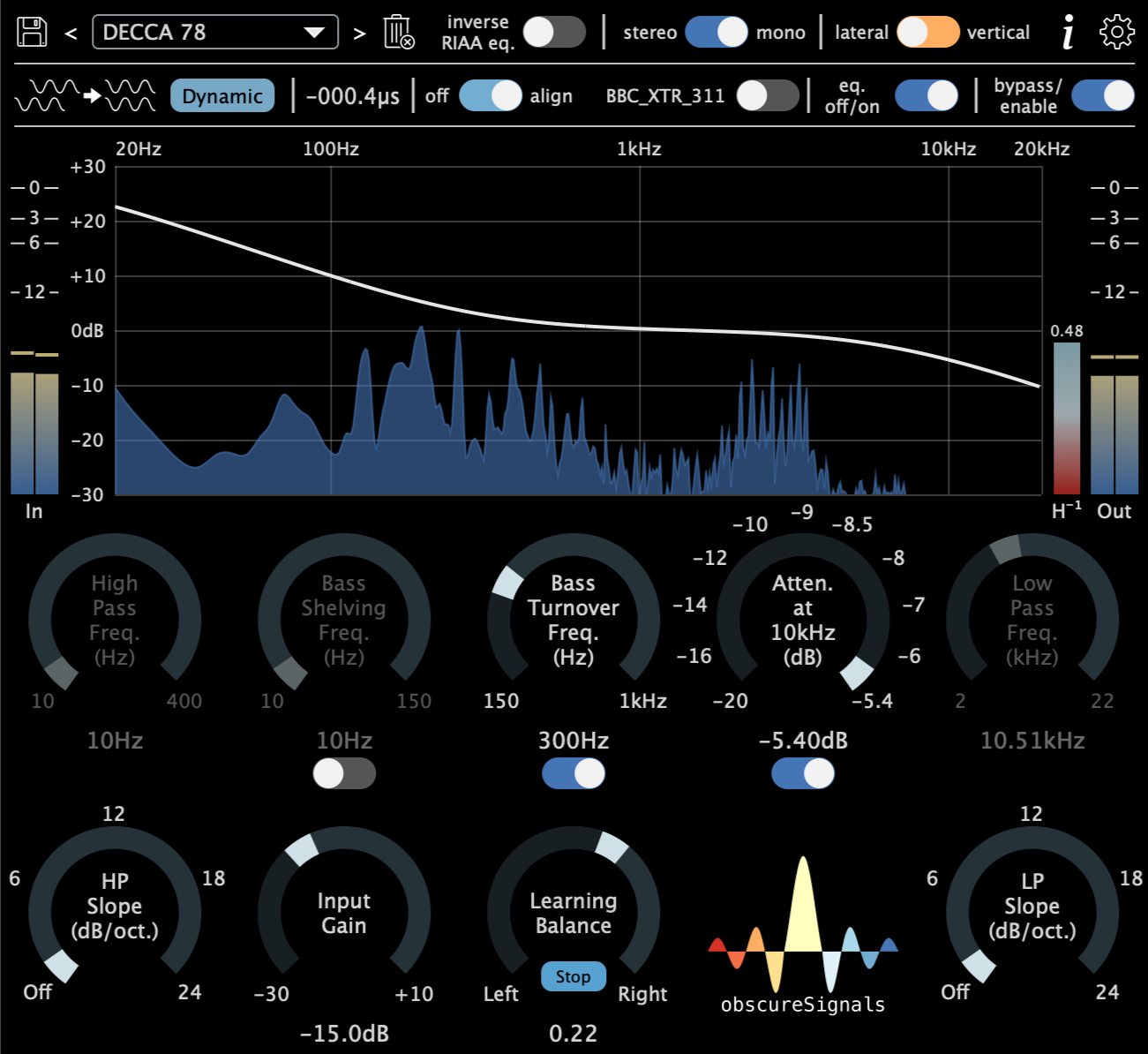
playBackEQ comes with presets corresponding to verified historical playback equalization curves, but also allows the adjustment of each parameter so that virtually any first-order curve can be implemented. The turnover frequencies for the high pass, low shelf, low boost, and high cut are all adjustable. The knobs have stops at common frequencies found on hardware units, but fine adjustment is also possible with the press of a modifier key.
Automatic Time & Level Alignment
playBackEQ can detect and dynamically compensate for interchannel delays that arise when a mono disc is recorded with a stereo cartridge. An automatic channel balance feature is available in order to maximize the increase in signal-to-noise ratio when summing to mono.
Performance & Accuracy
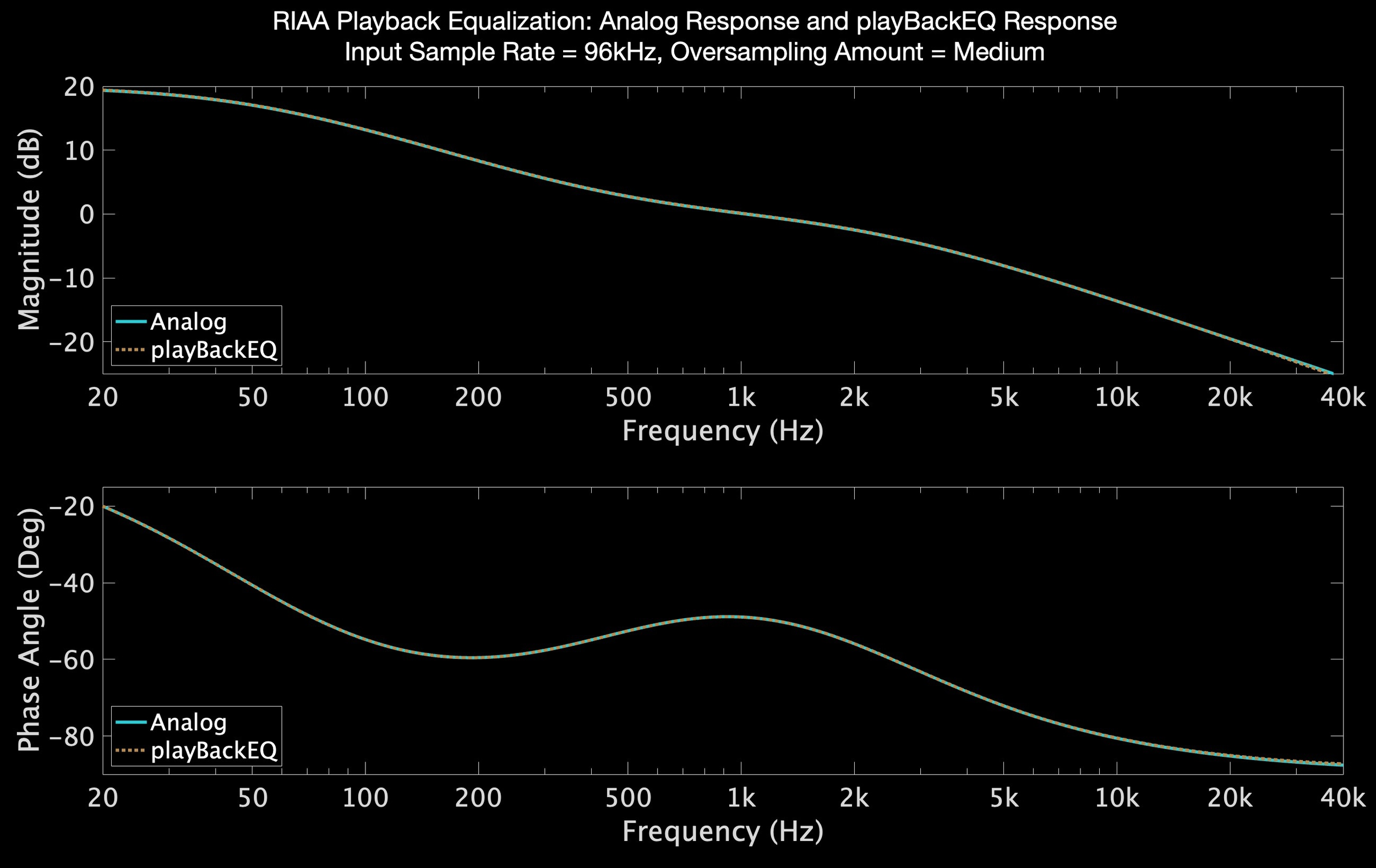
playBackEQ starts with the equations that define each curve in the analog domain and uses the bilinear transform and oversampling to adapt them to the digital domain. The upshot is playback curves that are the true complement of their analog cutting curve counterparts. The amount of oversampling can be chosen by the user to suit available computational power and amplitude and phase error requirements. As an example, at a base sample rate of 48kHz, with amount of oversampling set to ‘medium’, the RIAA playback curve is accurate to within 0.078dB from 20Hz to 20kHz. For comparison, the McIntosh C12000 preamplifier (street price, $19,000) is spec’ed to within 0.5dB over the same bandwidth.
What is Playback Equalization?
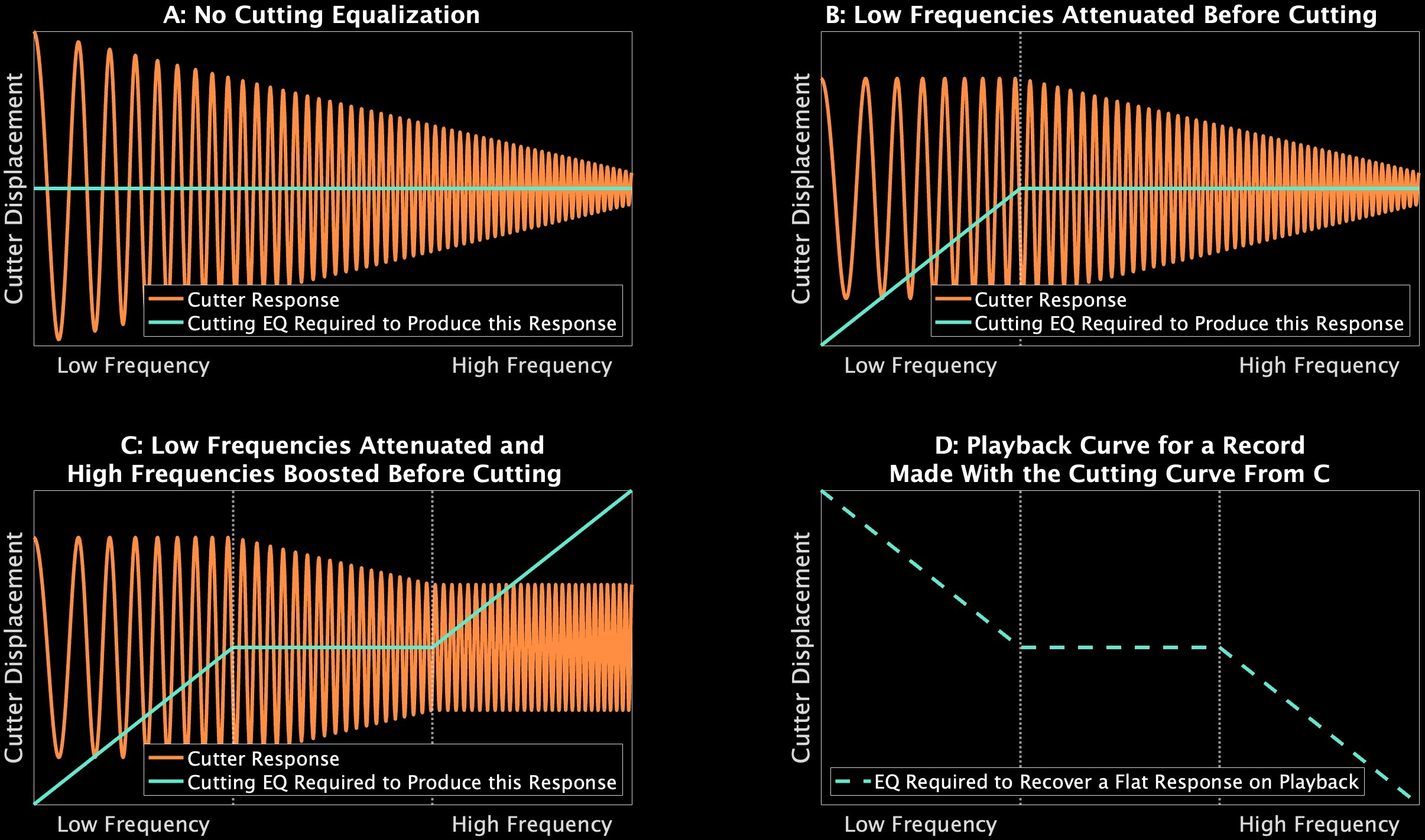
Since the introduction of electrical recording in 1924, records have been intentionally cut with a non-uniform frequency response to maximize information density and improve signal-to-noise ratio. To recover a flat signal, an inverse curve must be applied on playback. Until the nearly universal adoption of what has become known as the RIAA curve in the 1950s, the cutting curve employed during the creation of any particular disc depended on when it was cut and by whom. As a consequence, when we go to play a record today, we must identify the cutting curve that was used when it was mastered, and apply a complementary playback curve.
$99/€85
Try it for free for 28 days.
Download
| Operating System | Formats | Version | Download Link |
|---|---|---|---|
| Mac | VST3, AU, AAX, CLAP |

|
Download for Mac |
| Windows | VST3, AAX, CLAP |

|
Download for Windows |
| Raspberry Pi (ARM64) | VST3, CLAP |

|
Download for Linux |